Help · For couples · Music
Build your playlist
Every moment of the day has its own list: add songs by search, reorder them, and keep a Do Not Play list.
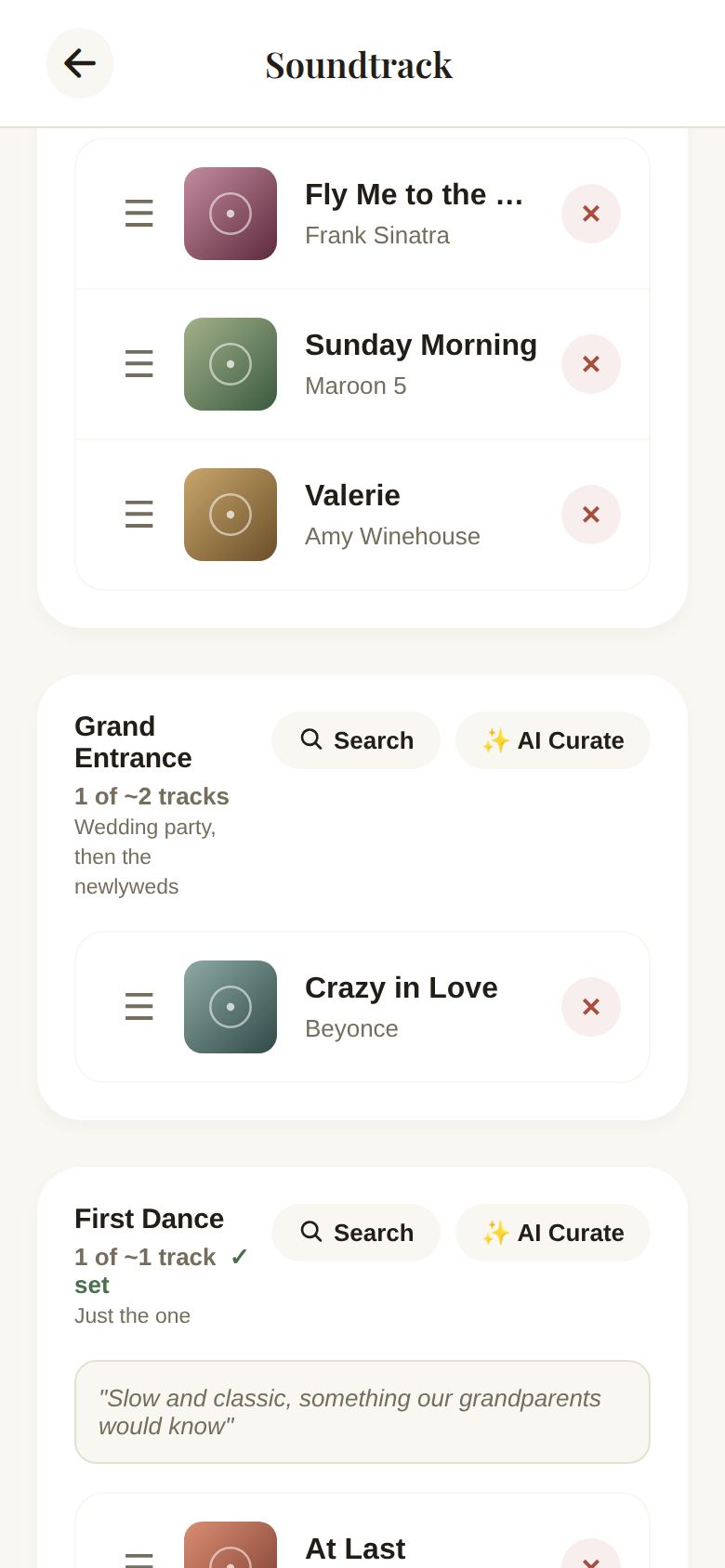
Your Soundtrack is split into the moments of a wedding day, each with a rough target and a hint:
- Prelude: guests arriving and being seated, about 30 minutes (about 12 songs).
- Processional: wedding party in, then the entrance (2).
- Recessional: the walk back up the aisle (1).
- Cocktail Hour: roughly an hour while photos are taken (about 20).
- Grand Entrance: wedding party, then the newlyweds (2).
- First Dance: just the one.
- Parent Dances: typically one each (2).
- Dinner: background music through the meal (about 18).
- Open Dance Floor: the bulk of the night, 2 to 3 hours (about 40).
- Cake Cutting: one short, playful song.
- Bouquet & Garter: one for each toss (2).
- Last Dance: the send-off.
- Do Not Play: anything the DJ must avoid.
Each section shows how many songs it has against its target, like 3 of ~12 tracks, and set once it's full.
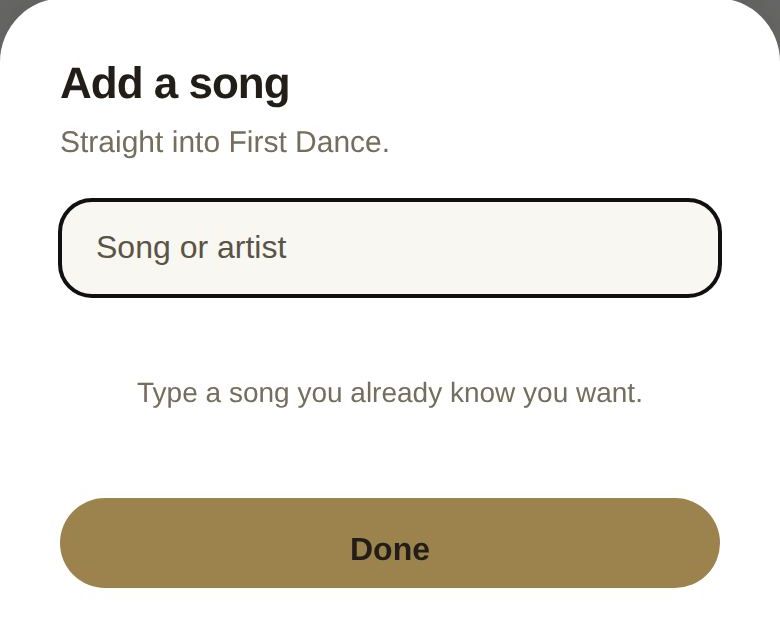
Add a song
- Tap Search on a section.
- Add a song opens. Type a song or artist.
- Tap a result to add it straight into that section. Tap Done when you're finished.
If a song is already in that section, we'll tell you.
Reorder and remove
- Drag a song by its handle to change the order within a section.
- Tap the X on a song to remove it.
- Tap play to hear a preview, when there is one.
Let the AI fill a section
AI Curate on a section runs the curator for just that section. It needs Plus. See The AI DJ (Curator).
Good to know
- Songs guests request go into Open Dance Floor when you accept them. See Guest song requests.
- The targets are guides, not limits. Add as many songs as you like.
- Your DJ sees these lists only if you share them. See Share your music with your DJ.
Did this answer it?
Updated September 30, 2026