Help · For couples · Your style and story
Content Hub: your vows, your story and the dress code
Write your vows in private, tell guests how you met, and tell them what to wear.
Content Hub holds three pieces of writing, one on each tab: Vows, Story and Attire. Open Content Hub from Home.
Vows
Your Wedding Vows: "Keep this private or share it with your officiant." Write and rewrite them here. Your vows are never shown to guests, on the invitation page or the passport. To share them with your officiant, copy them into a message.
Story
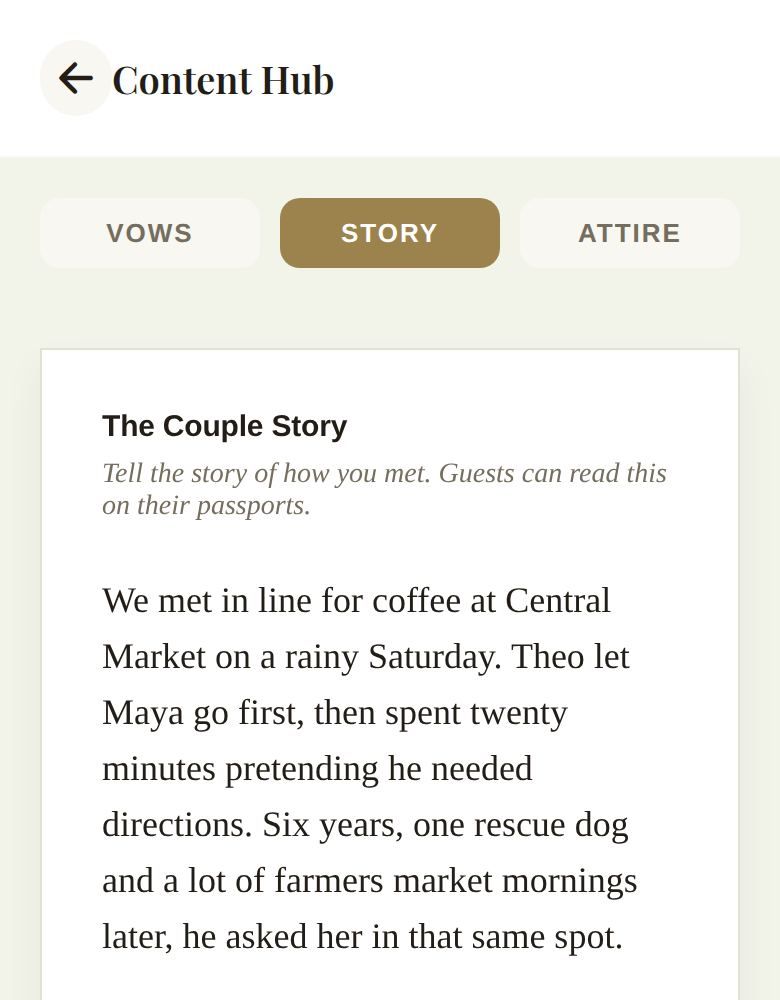
The Couple Story: "Tell the story of how you met." Guests can read it on their passport and on your invitation page. A few warm paragraphs is plenty.
Attire
Dress Code & Attire Guidelines: "Let your guests know exactly what to wear to your events." This appears as your dress code on the invitation page and passport. Be specific: "Garden cocktail. The ceremony is on grass, so skip the stilettos" helps more than "semi-formal".
Save
Type on any tab and tap Save Vows, Save Story or Save Attire. You'll see Saved when it's done. Each tab saves separately, so save before you switch tabs.
Working with helpers
- Your partner can write and save on every tab.
- A co-planner with Content Hub access submits their change for your approval. While it's waiting, the tab shows Pending and can't be edited.
Where each one shows
- Vows: only you, your partner, and co-planners you've given Content Hub access. Never guests.
- Story: the guest passport and your invitation page.
- Attire: the dress code on the guest passport and your invitation page.
To see exactly what guests see, tap the eye icon on Home to preview your wedding as a guest. See Your Home screen, explained.
Tips for writing them
- Story. Guests love the small details: where you met, who spoke first, the proposal. Two or three short paragraphs read best on a phone.
- Attire. Name the dress code, then say what it means for your venue: grass, stairs, an evening chill, a color to avoid.
- Vows. Write a first draft early and come back to it. Nobody sees this tab but you and the people you've chosen.
Good to know
- Content Hub belongs to your account, so every alternate build shares it.
- For short answers like parking and arrival times, use public notes instead. See Notes Hub.
Did this answer it?
Updated September 30, 2026