Help · For couples · Account and help
Get help, or report a problem
Search the help, ask us a question (a person answers), and follow what happened to your reports.
Open the ☰ menu (or Global Settings) and tap Get help.
Look it up first
Type your question under Look it up, for example "guests RSVP without the app". Matching articles appear as you type. Open one to read it; at the bottom, Did this answer it? lets you say Yes or No, and No takes you straight to asking us.
Ask us
- Under Ask us, pick What's it about?: Account and sign-in, Plus and billing, Payments, A vendor or booking, The wedding day, Something isn't working, Privacy or Something else.
- Add a Subject (optional) and write your question in How can we help?. As you type, These might answer it: suggests articles.
- Add a picture if a screenshot helps.
- Tap Send.
We already see your account and wedding date, so there's no need to explain who you are. The card tells you when to expect an answer (We answer by a day and time); Plus members are answered first.
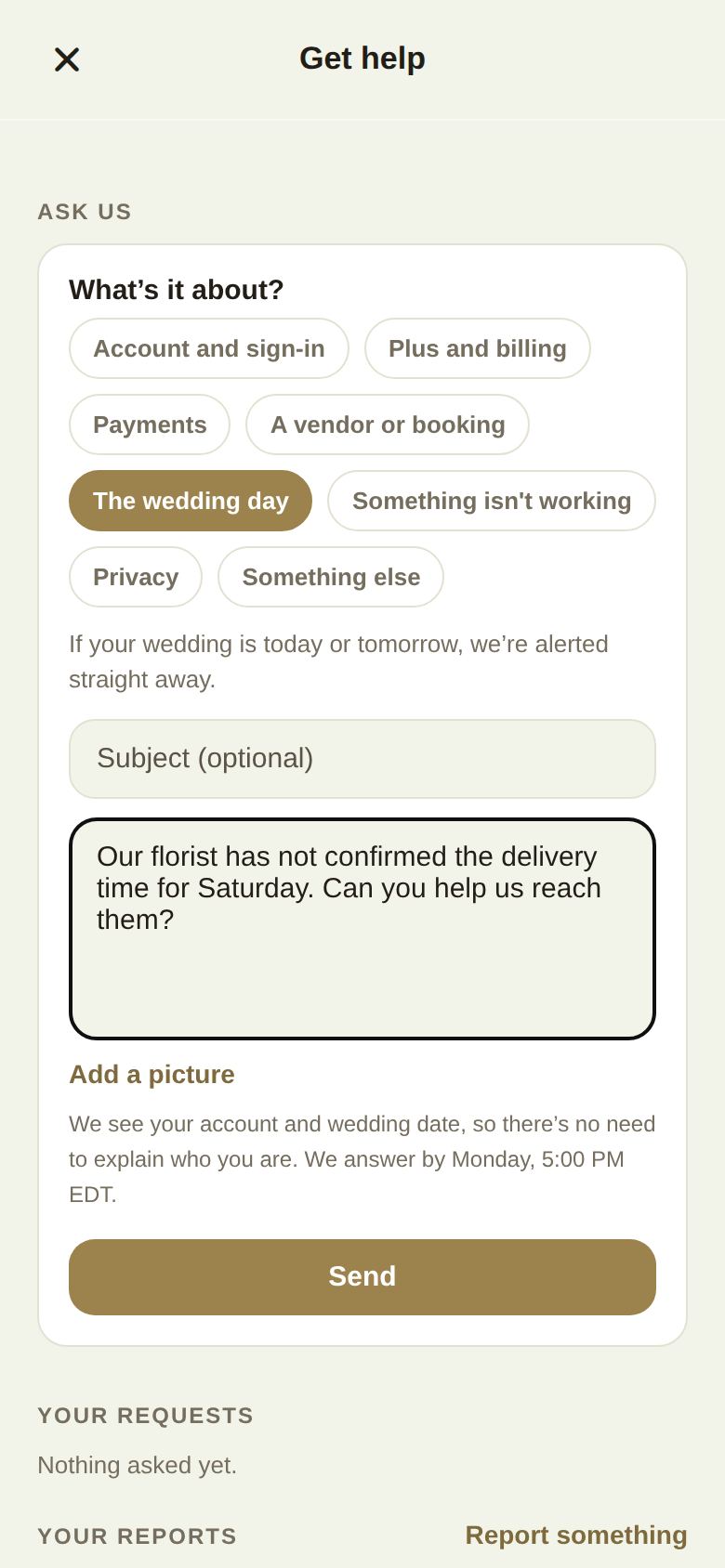
The wedding day
Choose The wedding day. If your wedding is today or in the next couple of days, your request is marked urgent and we're alerted straight away. Your venue coordinator can help in the meantime.
Replies
You'll get a notification and an email when we answer. Reply to the email and it continues the same conversation. In the app, Your requests lists everything you've asked, with its status: Sent, We're on it, Waiting on you, Resolved or Closed.
Open a request to read the conversation and reply with Add something. When it's sorted, tap It's sorted, close it, and tell us Did this help?. Writing to a closed request opens it again.
Report a problem or share an idea
Feedback & Ideas (in the ☰ menu and Settings, or Report something in Get help) sends a note straight to our team:
- Pick Bug, Friction, Idea or Praise.
- Give it a Title and Details.
- Attach a screenshot if it helps, then tap Send.
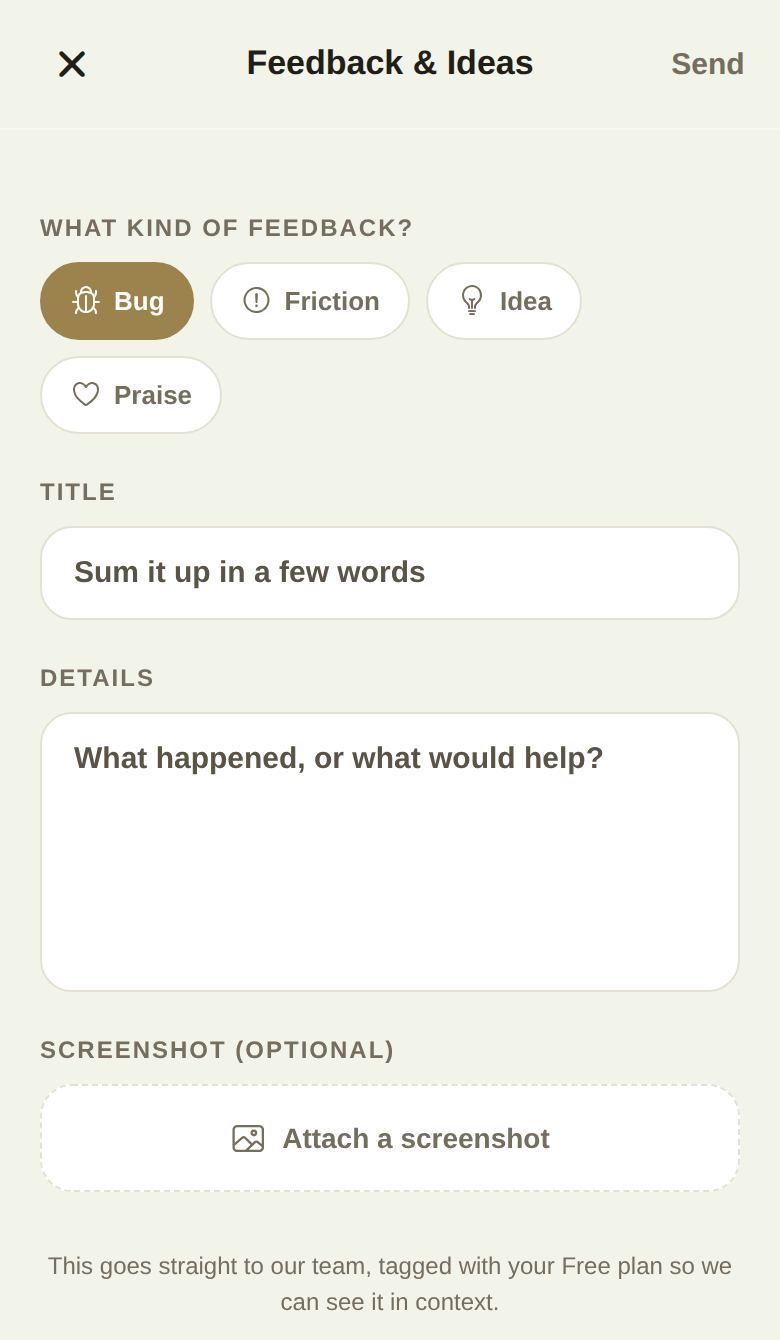
Your reports in Get help shows each one with what we did: Looking into it, Fixed, Answered or Already known, and any reply from us.
Good to know
- You can send up to ten requests an hour.
- Prefer email? Write to support@theveilwedding.com.
- A problem with a vendor is best raised with them first, in your conversation. If you're stuck, choose A vendor or booking.
Did this answer it?
Updated September 30, 2026