Help · For couples · Helpers and the wedding day
Day-of mode
Hand the wedding day to your coordinator so nothing waits on you. Automatic, On or Off (Plus).
On your wedding day you shouldn't be approving seating changes between photos. Day-of mode hands those decisions to your Day-of Coordinator.
Turn it on
- Open the ☰ menu, then Global Settings.
- Under THE WEDDING DAY, find Day-of mode.
- Choose Automatic, On or Off.
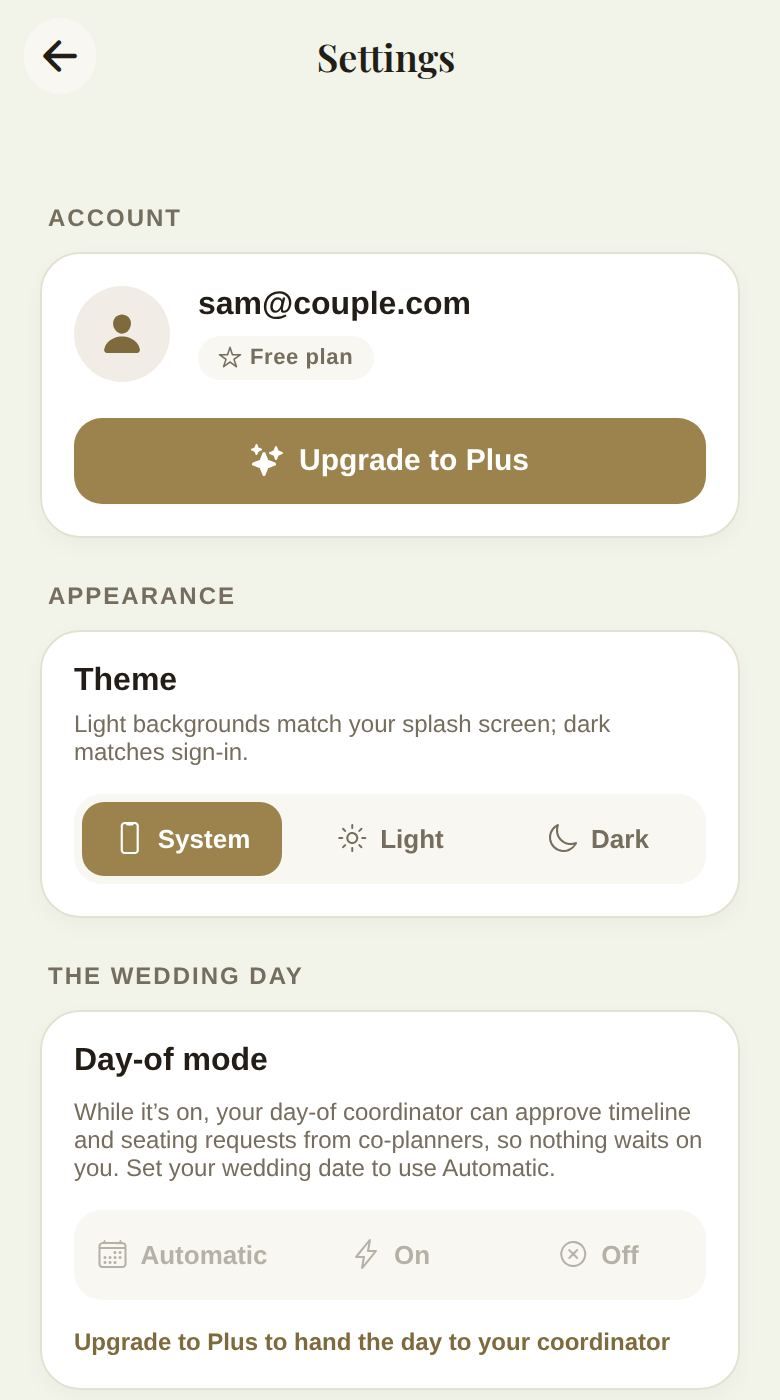
- Automatic (the default) turns day-of mode on from the day before your wedding until the day after. It needs your wedding date; without one, the card says Set your wedding date to use Automatic.
- On turns it on now, for example for a rehearsal two days out.
- Off keeps it off.
Day-of mode is part of Plus. Without Plus it carries a PLUS label, and tapping a button or Upgrade to Plus to hand the day to your coordinator shows what Plus adds.
What changes while it's on
- Your coordinator can approve co-planners' timeline and seating requests. Everything else still comes to you.
- When you or your coordinator move something on the timeline, guests with the app get a notification. See The wedding day.
- Home shows a banner, Day-of mode is on, explaining what it means for whoever's looking.
Good to know
- Only you and your partner can change day-of mode. Helpers don't see the switch.
- Without a Coordinator, day-of mode still lets timeline changes reach your guests, but approvals keep coming to you.
- Your guests' invitation pages show Today from the day before the wedding to the day after, whatever this setting says.
Did this answer it?
Updated September 30, 2026